Operations · Expenses
The expense is on record before the receipt fades.
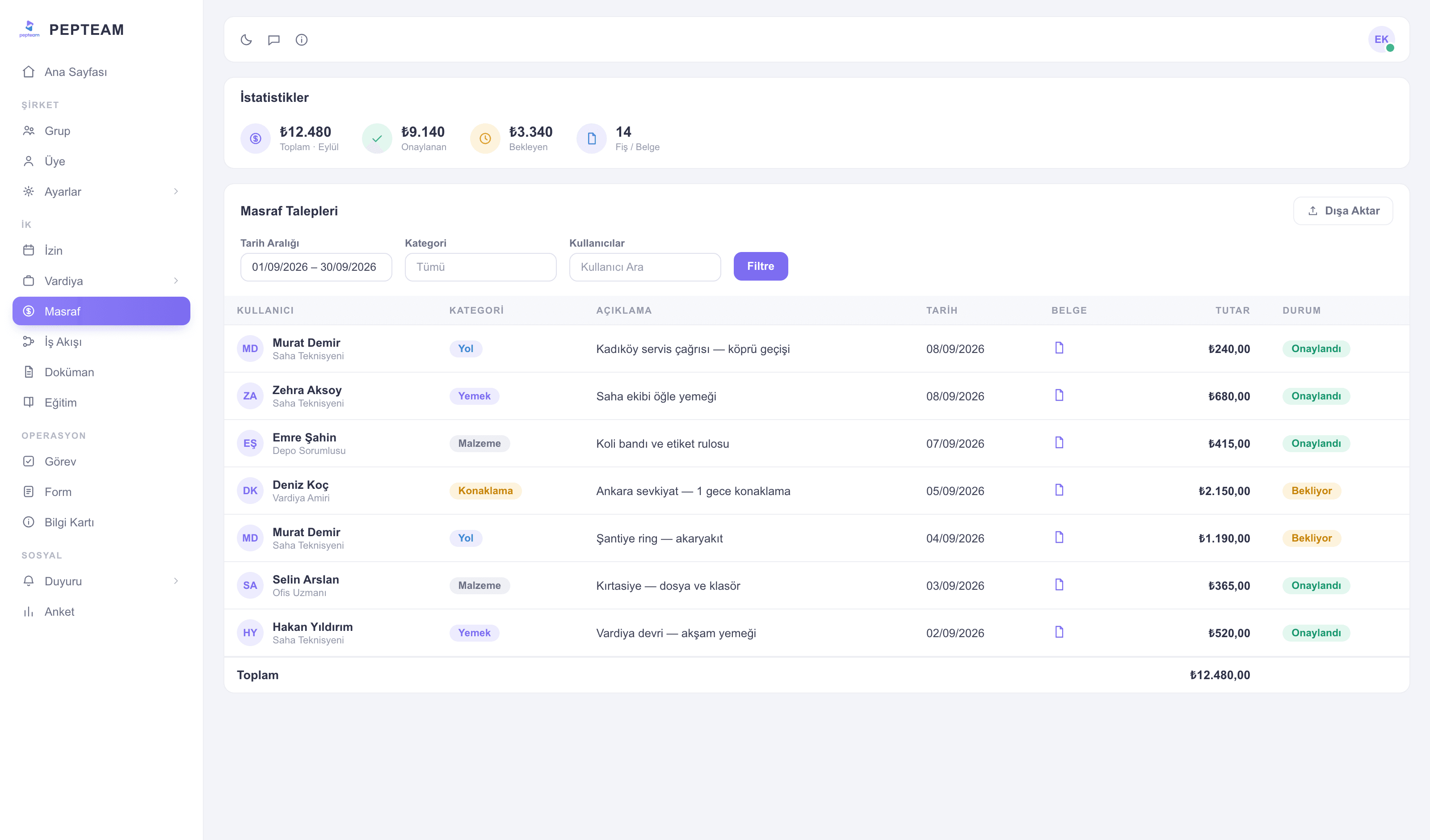
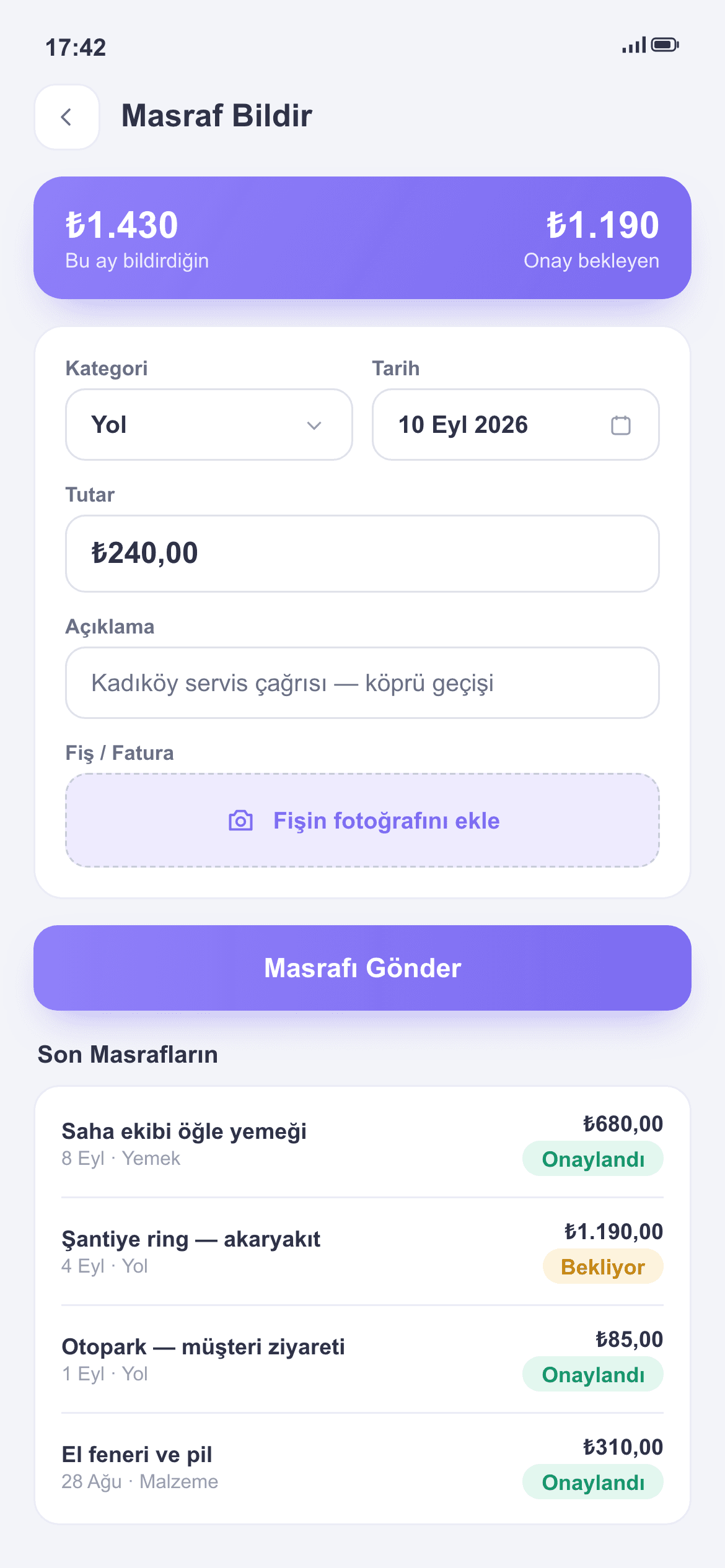
The worker snaps the receipt, enters the amount, sends; the expense passes approval and takes its place in the period's breakdown.
Receipts don't vanish
The photo is attached on the spot; no wallet archaeology at month end.
No unapproved spending
Expenses pass a defined approval; who signed off is on record.
The breakdown builds itself
Period expenses filter by person and category; accounting gets orderly data.
Snap and send
The worker opens an expense in the app: photo, amount, note. A one-minute job in the field.
Filed under its category
Travel, meals, materials — expense categories are defined; spending enters classified from the start.
Through the approval flow
Submitted expenses reach the manager; approved ones land in the breakdown, rejected ones return with a reason.
The period breakdown, ready
Expenses filtered by person, category and date are ready at period end; accounting reads records, not negotiations.
How it's used in the field
Service-vehicle fuel is logged during the day; cost per crew isn't a month-end surprise.
A part purchase is filed with its receipt against the job; what was spent on which work is known.
Tolls and crossings enter the record on the trip day; drivers stop hoarding receipts in envelopes.
Frequently asked questions
From the app: receipt photo, amount and note. A minute's work in the field.
The manager you define; approved expenses appear in the breakdown.
Yes; they're tracked classified — travel, meals, materials and so on.
Yes; filter the period's expenses and share the breakdown.