Time & Attendance · Timesheets & Overtime
Timesheets write themselves; month-end Excel never opens.
Clock-in records flow into timesheets on their own, overtime accumulates on its own screen; at period end you export payroll-ready output.
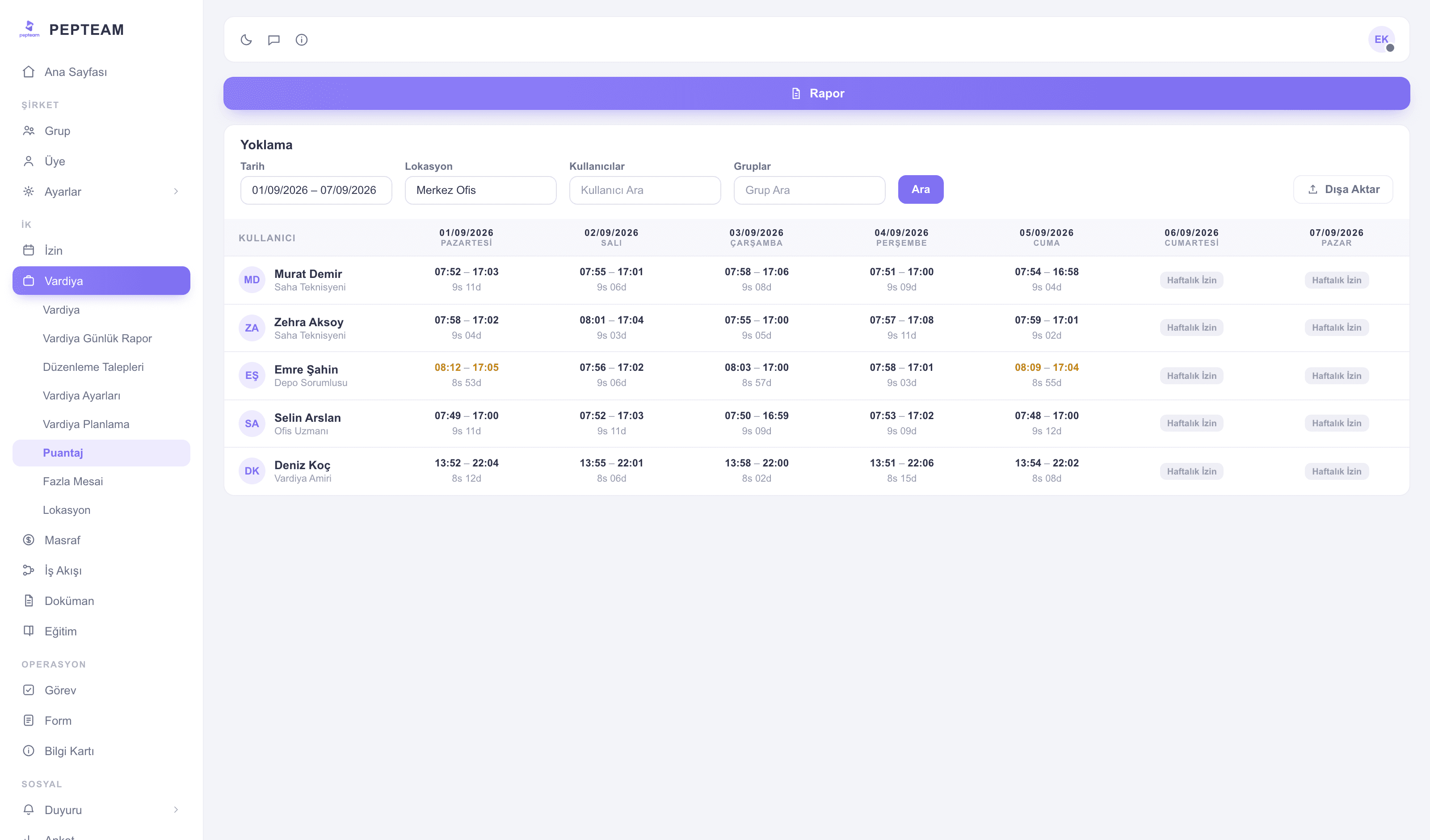
No manual adding-up
Hours don't travel from paper to Excel; records land on the timesheet instantly.
Overtime stays visible
Time worked beyond the plan accumulates on its own screen; nothing gets reconstructed from memory.
Clean data for payroll
Close the period, export, and hand your payroll program data nobody argues with.
The period on one screen
Time worked, person by person and day by day; leave and absence days separated. Filters work by location, user and group.
Overtime on its own screen
Time worked outside the assigned shift plan is tracked separately on the Overtime screen — who, which day, how much, itemized.
Corrections through a logged flow
For a missing or wrong record, the employee opens an edit request; the approved change lands on the timesheet with a trail of who changed what.
Payroll-ready output
Pepteam doesn't calculate payroll; it hands your payroll software clean data. Export the period's timesheet and deliver it to accounting.
How it's used in the field
In three-shift manufacturing, hours add up automatically per shift window; differentials aren't computed by hand.
Peak-season warehouse overtime accumulates day by day; no surprise payroll items at month end.
In a multi-store setup each store's timesheet filters separately; head office closes with one export.
Frequently asked questions
No. Pepteam is not payroll software; it produces payroll-ready timesheet output. The calculation happens in your payroll program.
The employee's assigned shift plan is the baseline; work outside the plan is tracked separately on the Overtime screen.
Yes — through the edit-request flow. The employee files, a manager approves; the change lands on the timesheet with a trail.
Yes. Export the period's timesheet and pass it to your payroll program or accountant.