Operations · Task Management
Assign the job; the field does it, a photo closes it.
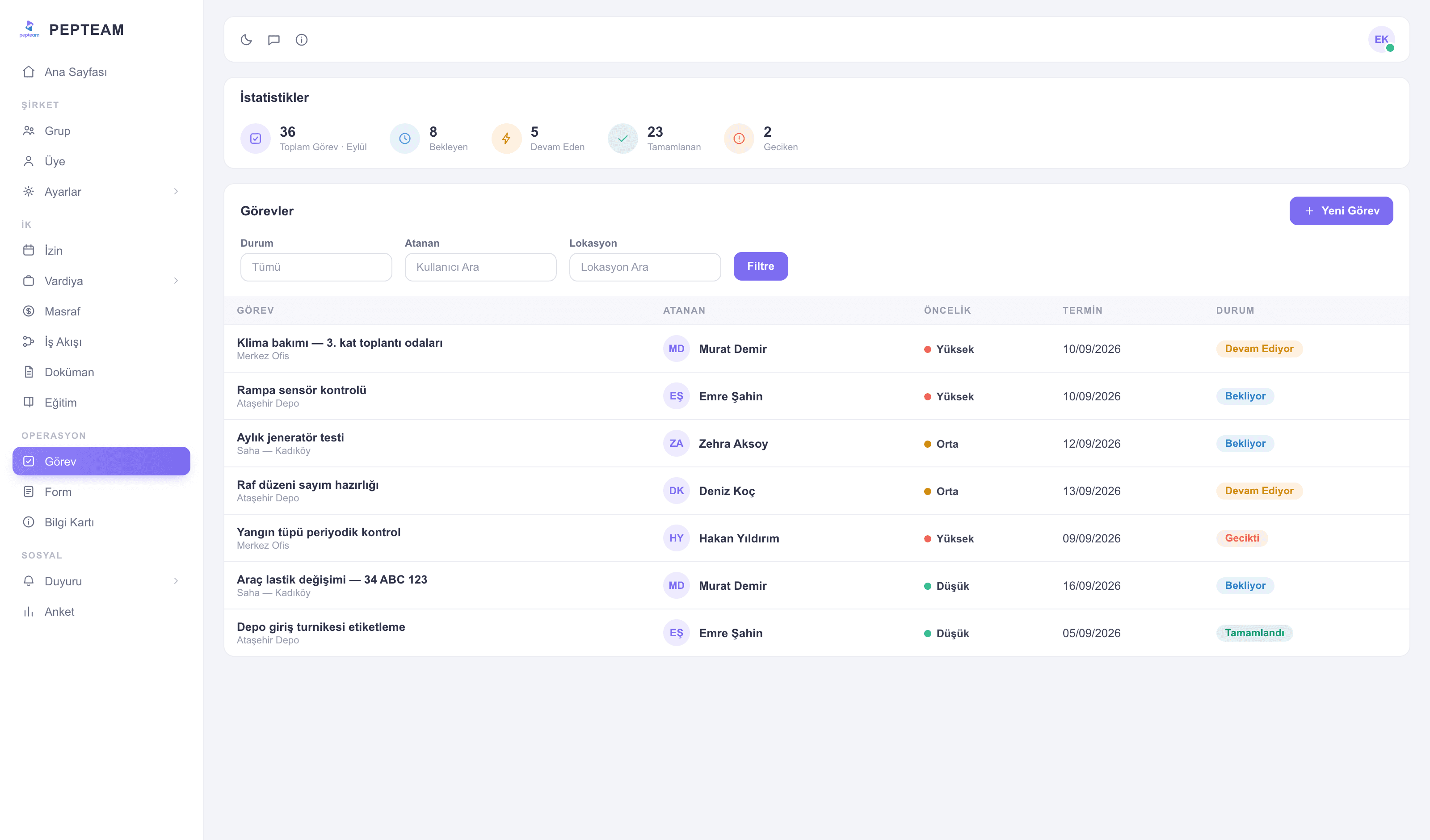
The task lands on the phone, the worker completes it on site and attaches proof; you watch what's stuck where in one list.
Not lost in WhatsApp
A task isn't a message in a group; it's a record with an owner and a status.
Who, what, by when
Assign to a person or a group; recently assigned tasks sit on your dashboard.
Closed with photos, not words
Proof is attached at completion; "done" isn't said, it's shown.
Assign from the panel, it lands in the pocket
Define the task, pick a person or group; it reaches the phone instantly. Tasks and recent assignments live on your dashboard widgets.
The field runs the job from the phone
The worker opens the task, sees what's needed, updates the status on completion. Jobs close without a desk visit.
Attach a photo, end the debate
Completed work carries its photo; the job sits in the record with its proof.
Status in one list
Open, completed and overdue tasks filter in one list; no end-of-day phone tour.
How it's used in the field
A service request becomes a task; the technician photographs the repaired fault as they close it.
In a scattered team everyone's daily work is on their phone; the coordinator watches one list.
A faulty-room task drops from reception to maintenance; the room's status is known before resale.
Frequently asked questions
Managers you authorize — assignment rights are set with roles and admin permissions.
In the app on their phone; new tasks land instantly.
Photo attachments are part of the flow; you shape how each task closes.
Yes; tasks go to a person or a group, and members see them on their own phones.