Time & Attendance · Leave Management
Leave requested from the phone, approved in one tap.
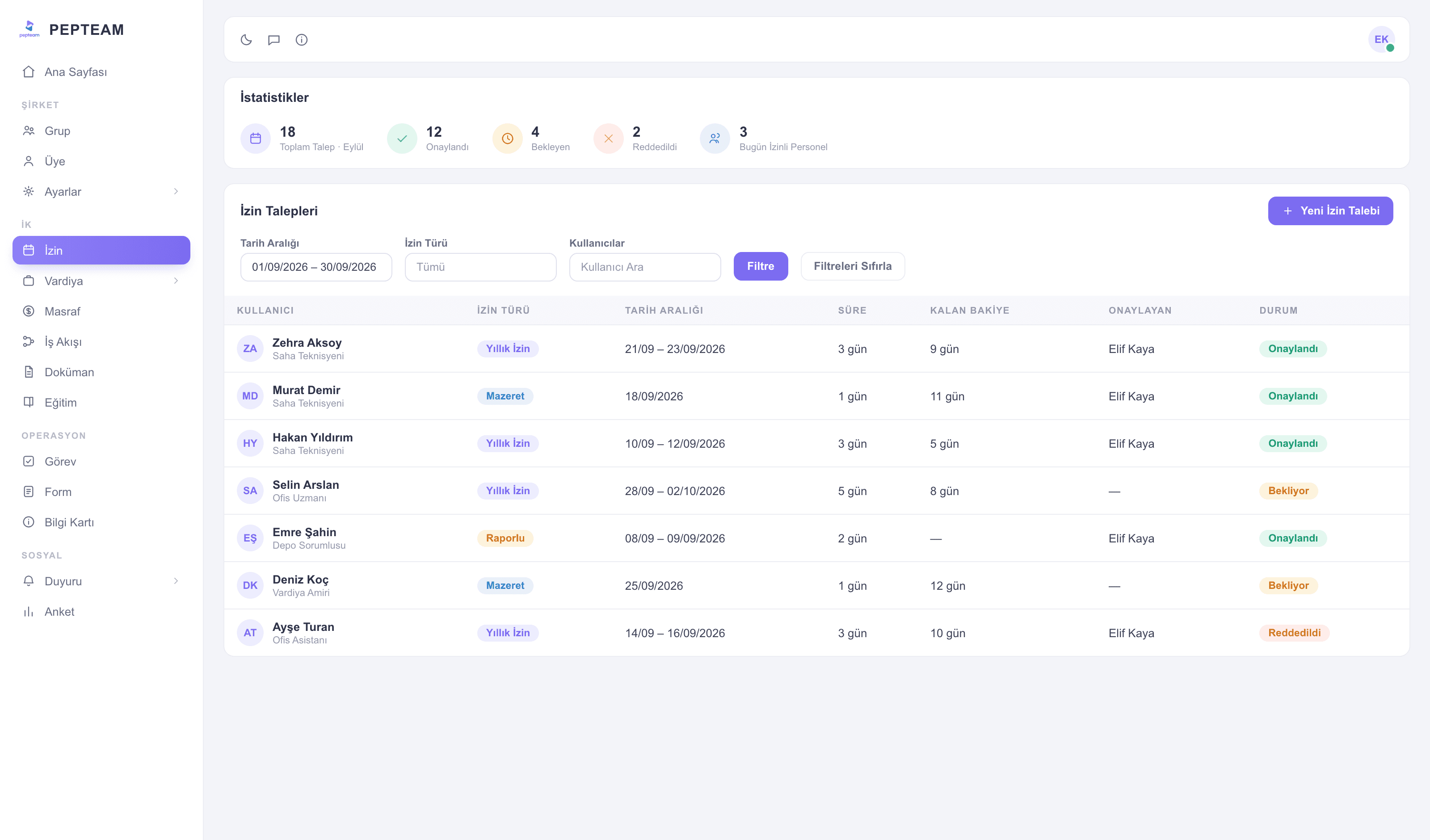
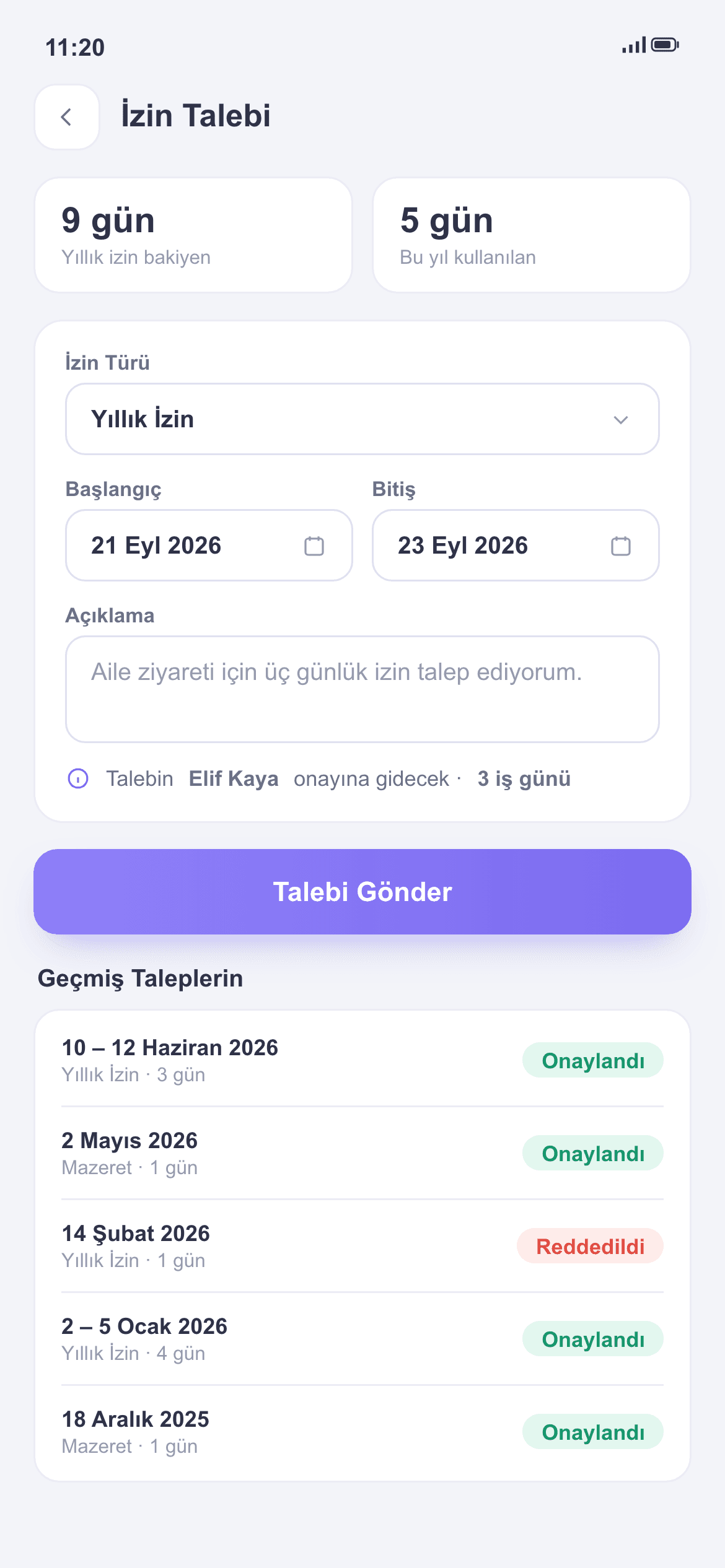
The employee files from the app, a manager approves; the balance updates itself and leave days flow into the shift report automatically.
No paper forms
Daily or hourly requests, approval and record in one flow; nobody chases signatures.
Balances always current
Remaining leave is on the employee's screen; the "how many days do I have?" question never reaches HR.
Never collides with the plan
Staff on leave show as On leave in the daily report; they can't be rostered by mistake.
Requests open from the pocket
The employee picks daily or hourly leave, marks the type, sends. No desk required for field teams.
Approvals on one screen
Pending requests line up in front of the manager; approve or reject in one tap, the result lands on the employee's phone instantly.
Balances update themselves
Approved leave is deducted automatically; who used what, who saved what — as a list.
Flows into the report
Staff on leave appear as On leave in the Shift Daily Report; the same fact lands on the timesheet. No triple bookkeeping.
How it's used in the field
Duty rosters skip staff on leave automatically; clashes aren't discovered at dawn.
Store managers approve from the phone; pre-holiday leave traffic is handled on one screen.
The shift supervisor sees leave before planning; no line starts short-handed.
Frequently asked questions
From the app on their phone: pick the date range and leave type, send.
The managers you authorize. Roles and admin permissions decide who can approve.
Yes. Approved leave shows as On leave in both the daily report and the timesheet.
Balances can be managed on the admin side; every change is logged.